


What Is WCAG 2.2? Understanding WCAG Accessibility for Enterprises
Published on: 24/02/2026
Contents
- What Is WCAG 2.2?
- Why WCAG Accessibility Matters Beyond Compliance
- How WCAG 2.2 Supports Compliance and Risk Reduction
- How Many New Success Criteria Are in WCAG 2.2?
- Breaking Down the New Success Criteria
- Removed Criteria: What Didn’t Make the Cut
- Implementing WCAG 2.2 in Practice
- WCAG 2.2 in Accessibility Governance
- Bringing It Together: WCAG 2.2 in the Real World
- WCAG 2.2 as a Step Toward Inclusive Experiences


Summary
The blog provides an explanation of WCAG 2.2, which demonstrates its importance for digital accessibility in business operations, government work, and the activities of organizations that must follow regulations. The document presents new success criteria together with implementation methods that demonstrate how WCAG accessibility standards enhance usability while making legal compliance easier and supporting ongoing compliance management.
Summarize full blog with:


Digital accessibility isn’t just a regulatory checkbox; it affects how people actually use technology every day. WCAG 2.2 addresses gaps left by previous standards, particularly WCAG 2.1. It focuses on real-world usability issues for people with motor, visual, and cognitive disabilities
For large organizations, government agencies, and regulated enterprises, WCAG 2.2 isn’t just a set of technical rules. It clarifies requirements around keyboard focus, target size, authentication, and interactions like drag-and-drop. Understanding what WCAG 2.2 entails and how it fits into broader WCAG accessibility obligations is essential to reduce risk and improve usability.
For more than two decades, the Web Content Accessibility Guidelines (WCAG) have established themselves as the international standard for digital accessibility. The launch of WCAG 2.2 marks a new version of the standard, which prioritizes user-driven design principles to help users with visual impairments and cognitive disabilities, motor control challenges navigate, and operate digital platforms
What Is WCAG 2.2?
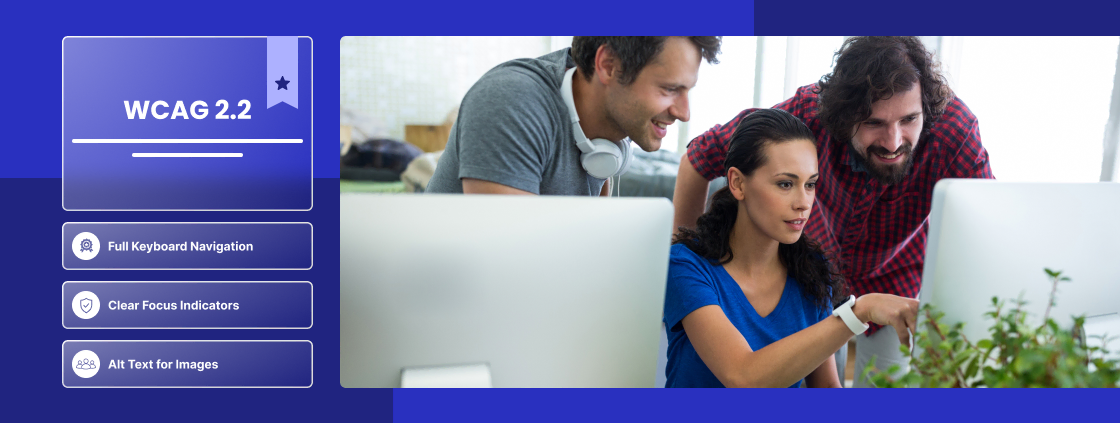
The World Wide Web Consortium, through its Web Accessibility Initiative, has released WCAG 2.2 as its most current accessibility standard. The system requirements assessment uses the same four fundamental principles of WCAG 2.0 and 2.1, which are Perceivable, Operable, Understandable, and Robust. WCAG 2.2 introduces new success criteria that give solutions to problems that previous standards did not completely resolve.
The research addresses four specific areas, which include keyboard focus visibility problems and interactive element target size issues, drag-and-drop interaction difficulties, and cognitive authentication challenges.
The WCAG 2.2 standard adds to the existing rules of WCAG 2.1 instead of replacing them. Organizations that claim compliance with WCAG 2.2 must still meet all previous WCAG 2.1 requirements.
Why WCAG Accessibility Matters Beyond Compliance
People often talk about WCAG accessibility as a legal obligation, but it’s much more than that. Digital systems are complex. A single design choice can block thousands of users from completing essential tasks.
Some areas where enterprises commonly encounter accessibility challenges include:
-
Customer dashboards and portals
-
Healthcare platforms and patient portals
-
Banking and financial applications
-
Learning management systems
-
E-commerce checkout flows
Even if a system technically “meets” WCAG 2.1, users may still struggle if focus indicators are unclear, interactive targets are too small, or authentication requires high cognitive effort. WCAG 2.2 addresses these issues, making interfaces genuinely usable.
How WCAG 2.2 Supports Compliance and Risk Reduction
WCAG itself is a technical standard, not a law. But it is referenced by regulations like ADA, Section 508, and EN 301 549.
Aligning with WCAG 2.2 helps organizations:
-
Demonstrate standards-based accessibility
-
Prepare for audits and procurement reviews
-
Reduce organizational risk
It’s important to understand that WCAG 2.2 doesn’t guarantee legal immunity. What it does provide is documented evidence that accessibility was implemented according to recognized global standards.
How Many New Success Criteria Are in WCAG 2.2?
Accuracy here is critical. WCAG 2.2 introduces nine new success criteria:
-
Level A: 3
-
Level AA: 6
-
Level AAA: 0 new
There is an enhancement for focus appearance at Level AAA, but this is not a new success criterion. Miscounting or misclassifying criteria can undermine credibility, especially in enterprise audits or VPAT documentation.
Breaking Down the New Success Criteria
Instead of listing them mechanically, it’s more helpful to understand the types of barriers they solve.
Motor and Pointer Accessibility
Some users cannot perform precise pointer movements, or they rely on alternative input devices. WCAG 2.2 addresses this through:
-
Dragging Movements (2.5.7 – Level AA): Interfaces should provide alternatives for drag-and-drop actions unless the drag is essential.
-
Target Size (Minimum) (2.5.8 – Level AA): Interactive elements must meet minimum size and spacing requirements.
These criteria acknowledge that many accessibility problems arise from interaction design, not missing labels or alt text.
Focus, Visibility, and Keyboard Navigation
Keyboard accessibility has been central to WCAG for years. WCAG 2.2 strengthens focus guidance:
-
Focus Appearance (Minimum) (2.4.11 – Level AA): Keyboard focus must be clearly visible with sufficient contrast.
-
Focus Appearance (Enhanced) (2.4.12 – Level AAA): Focus Appearance (Enhanced) (2.4.12 – Level AAA):
Meanwhile, 2.4.7 Focus Visible remains Level AA, as in previous versions. It’s easy to confuse these, but accuracy is crucial for audits.
Cognitive Accessibility and Authentication
Authentication is often a hidden barrier for users with cognitive disabilities. WCAG 2.2 introduces:
-
Accessible Authentication (Minimum): Alternatives must exist for cognitive-based authentication challenges.
-
Accessible Authentication (Enhanced): Provides extra support but is not required for Level AA.
This reflects a shift from content-only accessibility to task accessibility—ensuring users can complete essential workflows.
Removed Criteria: What Didn’t Make the Cut
During development, some criteria were proposed but later removed. A notable example is 3.2.7 Visible Controls.
-
It was discussed in drafts
-
It is not part of the final WCAG 2.2 standard
-
It should only appear in a dedicated “Removed Criteria” section
Including this elsewhere could mislead audit teams or developers. I’ve seen organizations accidentally cite it, creating confusion and credibility issues.
Implementing WCAG 2.2 in Practice
Effective implementation is more than automated scans. Many criteria require:
-
Manual evaluation
-
User interaction testing
-
Developer judgment
A typical enterprise workflow includes:
-
Expert-led accessibility audits
-
Mapping fixes to success criteria
-
Collaborating with developers
-
Verification and retesting
-
Documenting results in VPAT or ACR
Automation helps identify issues, but cannot reliably check things like focus visibility, drag alternatives, or cognitive accessibility features.
WCAG 2.2 in Accessibility Governance
WCAG 2.2 should be part of a long-term strategy, not a one-time update. Organizations that succeed with accessibility usually:
-
Integrate accessibility into design systems
-
Train UX and development teams regularly
-
Maintain repeatable testing workflows
-
Track accessibility issues over time
This governance mindset reduces risk and ensures consistent usability improvements across all digital properties.
Bringing It Together: WCAG 2.2 in the Real World
The reality is that even technically compliant systems often fail in practice. Focus indicators are overlooked, authentication steps frustrate users, and interactive targets remain too small. WCAG 2.2 addresses these gaps directly.
In real enterprise audits, these are exactly the areas that often cause VPAT or procurement issues. By focusing on user impact rather than checkbox compliance, organizations gain both operational and legal confidence.
WCAG 2.2 as a Step Toward Inclusive Experiences
WCAG 2.2 is not just a standard—it’s a practical guide for making digital systems usable for everyone. It improves accessibility in a way that reflects real-world interaction, particularly in large-scale, regulated, or complex enterprise environments.
Aligning with WCAG 2.2 supports compliance with ADA, Section 508, and EN 301 549 while improving usability for all users. Most importantly, it demonstrates a commitment to ongoing accessibility governance, not a one-off compliance effort.
For enterprises, this means fewer barriers, reduced legal exposure, and measurable improvements in WCAG accessibility across digital products.
Partner with AccessifyLabs’ accessibility experts to evaluate your websites, apps, and internal systems. Book a compliance assessment today and take the first step toward creating a fully inclusive digital experience for all users.
Ready to make your digital products accessible to everyone?
Don’t wait for issues to surface post-launch. AccessifyLabs can help you integrate accessibility testing into your development lifecycle, combining automated tools with expert-led validation to ensure compliance, usability, and a truly inclusive digital experience.
WCAG 2.2 adds new success criteria for cognitive, visual, and motor accessibility. It builds on 2.1 but fills gaps in usability, navigation, and form completion.
The accessibility standard WCAG 2.2 establishes requirements for practical user interface elements, which include the visibility of keyboard focus, the dimension requirements for interactive elements, and the need for accessible authentication methods and drag-and-drop functions. The solution tackles existing issues that made it difficult for actual users to accomplish their tasks.
Organizations that include businesses, government bodies, and organizations under regulation must follow WCAG 2.2 because they need to fulfill requirements from ADA, Section 508, and EN 301 549. The demonstration of compliance with accessibility standards shows that an organization has conducted proper accessibility research while also minimizing potential legal and operational threats.
The standard WCAG 2.2 establishes nine additional success criteria, which include three criteria at Level A, six criteria at Level AA, and no criteria at Level AAA, except for one Level AAA improvement, which applies to focus appearance. The criteria address three main types of navigation obstacles, which include motor disabilities, cognitive disabilities, and keyboard navigation difficulties.
The successful implementation process requires experts to conduct audits while manual testing, developer collaboration, and verification activities take place. The system needs to function as a permanent part of accessibility management by incorporating accessibility into design frameworks, development procedures, and constant assessment practices.
Want to see AccessifyLabs in action?
Let’s have a conversation. We make accessibility effortless.
contact us
Vishal Pujar
COO & Global Head of Accessibility and Inclusion
Let’s Have a Conversation
Are you looking for accessibility solutions for your organization? We make accessibility effortless.